The Goal:
Sort the photos in my iPhone camera roll to a dedicated work album, then archive them in Immich to hide them from my memories and main feed.
This wasn’t a simple “location based” automation because I work at different jobsites all the time.
iOS automations are pretty clunky and unreliable, so I accomplished this primarily with the help of Home Assistant to do most of the ‘logic’.
Prerequisites:
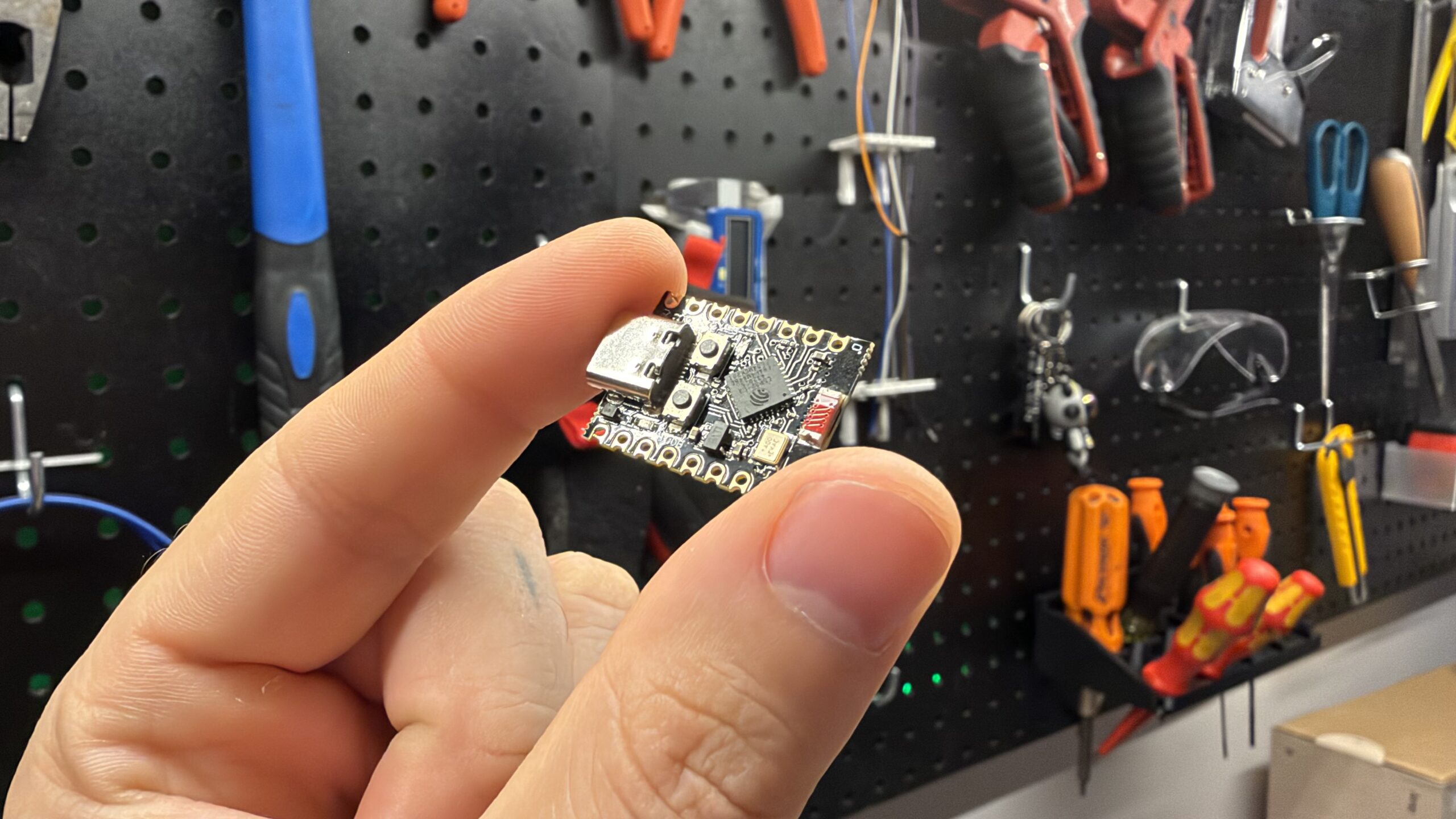
- ESP32 + ESPHome – to act as an iBeacon
- Home Assistant – to facilitate the booleans and variables
- Apple Homepod / TV – To get Home Assistant booleans into the shortcuts app
- VPN connection (or Home Assistant Cloud/Link) – for remote execution
For context, iOS 27 broke “automations” triggered by bluetooth connections (Without an annoying notification) which sucks because I need this to trigger when I hop into my work van in the morning.
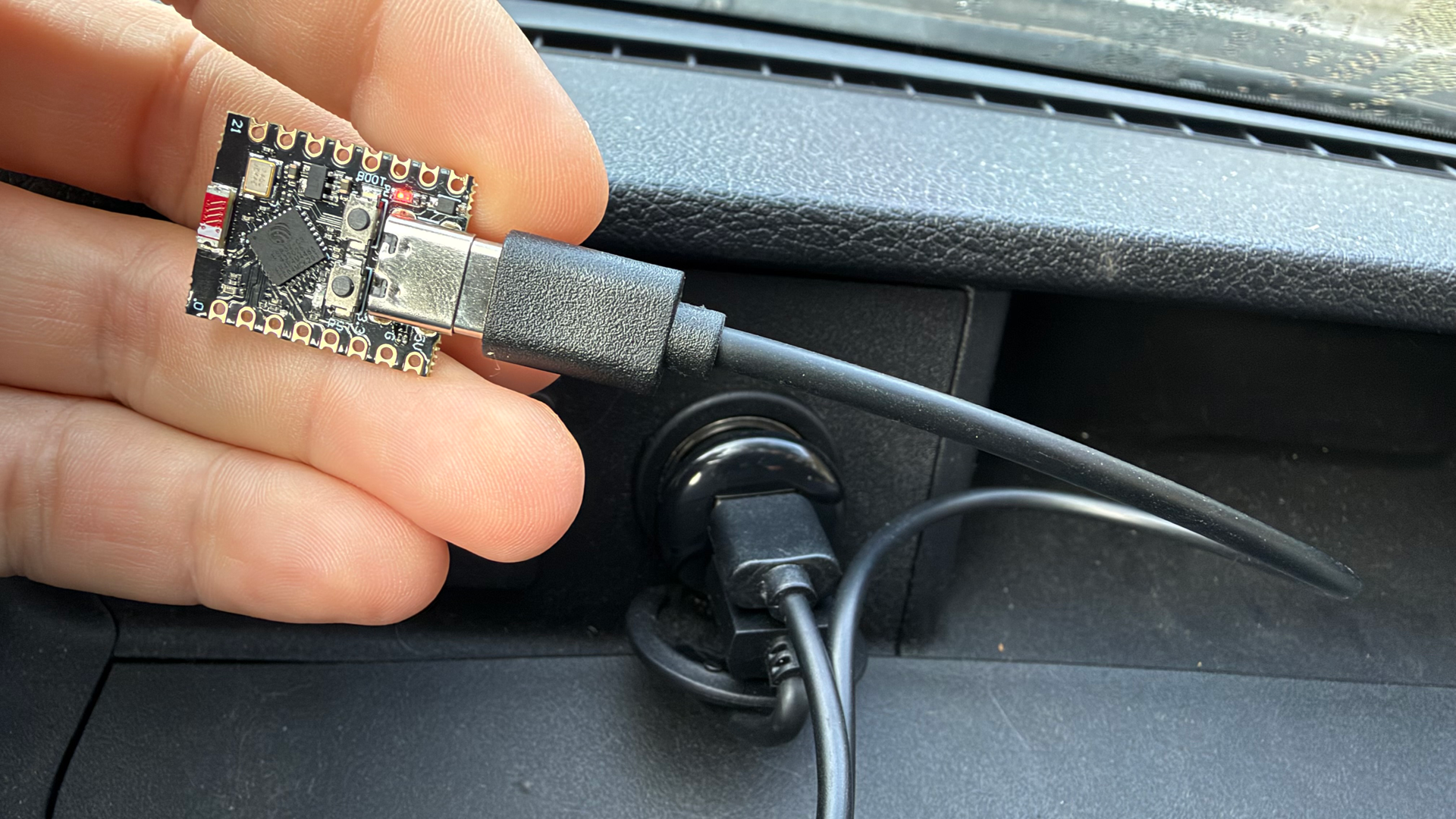
Meet the ESP32 iBeacon: The trigger.
Using ESPHome I made a simple iBeacon, and set it up as per the docs:
esp32_ble_beacon:type: iBeaconuuid: 'C5A1E7D2-4B3F-4E8A-9D61-7F2B0C8E5A34'major: 1minor: 1min_interval: 100msmax_interval: 200mstx_power: 3dBm(I had to set tx_power low because this cheap esp32-c3 has an antenna issue.)
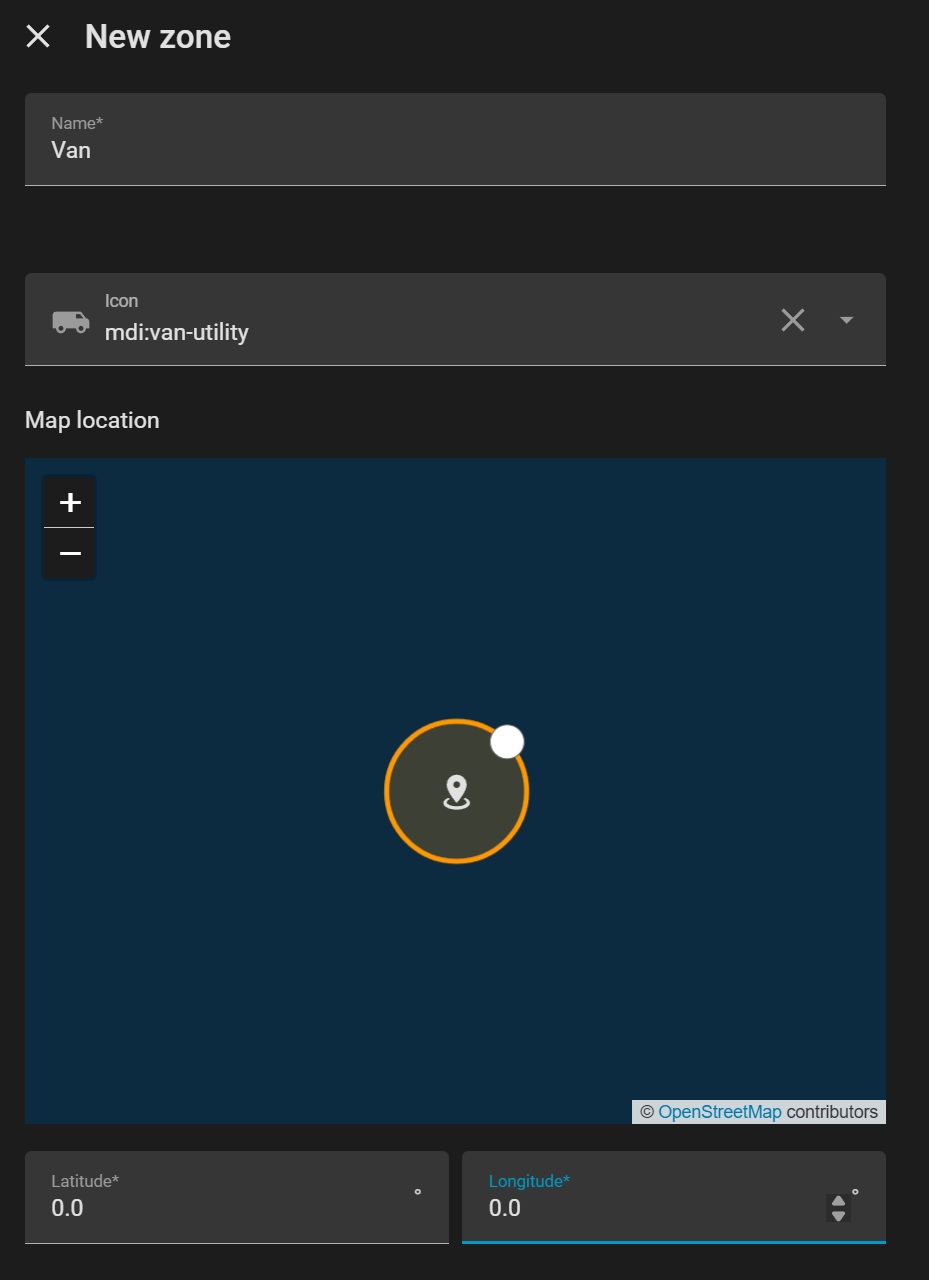
After installing, I need to tell Home Assistant my work van is a “zone”. To accomplish this, I first created a zone in the UI called “Van”.
Note:
- Name of the zone, in this case “Van”, must match the config below
- GPS coordinates are some random area, I set 0.0 and 0.0
Next I added the following to my configuration.yaml:
homeassistant:
  customize:
    zone.van:
      beacon:
        uuid: C5A1E7D2-4B3F-4E8A-9D61-7F2B0C8E5A34
        major: 1
        minor: 1
Note:
- The UUID, minor, major match the ESPHome config.
- The zone.van matches the name of the zone created in UI, ie: “van” (Important)
- Home Assistant must be restarted
Automation
The key is to make this as bulletproof as possible, and only trigger on weekdays, when its the first time getting into the van, and only once a day – in case I have to move the van at some point in the evening.
The flow would look like this:
WHEN the phone sees the van beacon
|
+-- Is today a workday?
|        NO --> stop, do nothing
|        YES
|
+-- Has work already started today?
|         YES --> stop, do nothing
|         NO
|
+--> 1. Send "Van Connected" notification
        2. Turn ON "Working"
        3. Turn ON "Work started today"

WHEN your phone arrives in the Home zone
|
+--> Turn OFF "Working"

EVERY night at midnight
|
+--> Turn OFF "Work started today"
     Turn OFF "Connected to van"

RESULT:
"Working" ON --> photos go to the Work album
"Working" OFF --> photos stay where they are
With a baseline of what needs to happen, I made the automation and included the YAML below for anyone interested in digging deeper into it.
Notes:
- The trigger for arriving home is based on the event, not the usual “Zone Entered”
- The iBeacon -> van entered trigger is also based on the event firing once, not entering the zone
- This is necessary for both, since after the phone detects the iBeacon, phone pings my location -> instantly thinks I’m back home -> turns OFF “Working” boolean that needs to be ON for sorting
- With event firing as the trigger, it will only happen once I actually re-enter that zone
- I have a few booleans (input helpers) that flip on/off to make this all work
- Trigger IDs are used to keep the whole automation nice and clean
Hopefully that makes sense, it took some troubleshooting to narrow down and work!
Home Assistant Automation YAML:
alias: Work Photos Auto Sort
description: ''
triggers:
  - trigger: event
    event_type: ios.zone_entered
    event_data:
      zone: zone.van
    id: Van Connected
    alias: Entered Van
  - trigger: event
    event_type: ios.zone_entered
    event_data:
      zone: zone.home
    id: Home
    alias: Arrived Home
  - trigger: time
    at: '00:00:00'
    weekday:
      - fri
      - thu
      - wed
      - tue
      - mon
      - sun
      - sat
    id: Daily Reset
    alias: Daily Reset
conditions: []
actions:
  - if:
      - condition: and
        conditions:
          - condition: trigger
            id:
              - Van Connected
          - condition: state
            entity_id: binary_sensor.workday_sensor_2
            state:
              - 'on'
            enabled: true
          - condition: switch.is_off
            target:
              entity_id: input_boolean.work_start
            options:
              behavior: any
              for: '00:00:00'
            enabled: true
    then:
      - action: notify.mobile_app_satellite
        metadata: {}
        data:
          message: Van Connected
          title: Success
      - action: input_boolean.turn_on
        metadata: {}
        target:
          entity_id: input_boolean.working
        data: {}
        enabled: true
      - action: input_boolean.turn_on
        metadata: {}
        target:
          entity_id: input_boolean.work_start
        data: {}
        enabled: true
    alias: Start Work
  - if:
      - condition: trigger
        id:
          - Home
    then:
      - action: input_boolean.turn_off
        metadata: {}
        target:
          entity_id: input_boolean.working
        data: {}
    alias: Home
  - if:
      - condition: trigger
        id:
          - Daily Reset
    then:
      - action: input_boolean.turn_off
        metadata: {}
        target:
          entity_id: input_boolean.work_start
        data: {}
      - action: input_boolean.turn_off
        metadata: {}
        target:
          entity_id: input_boolean.connected_to_van
        data: {}
    alias: Reset
mode: single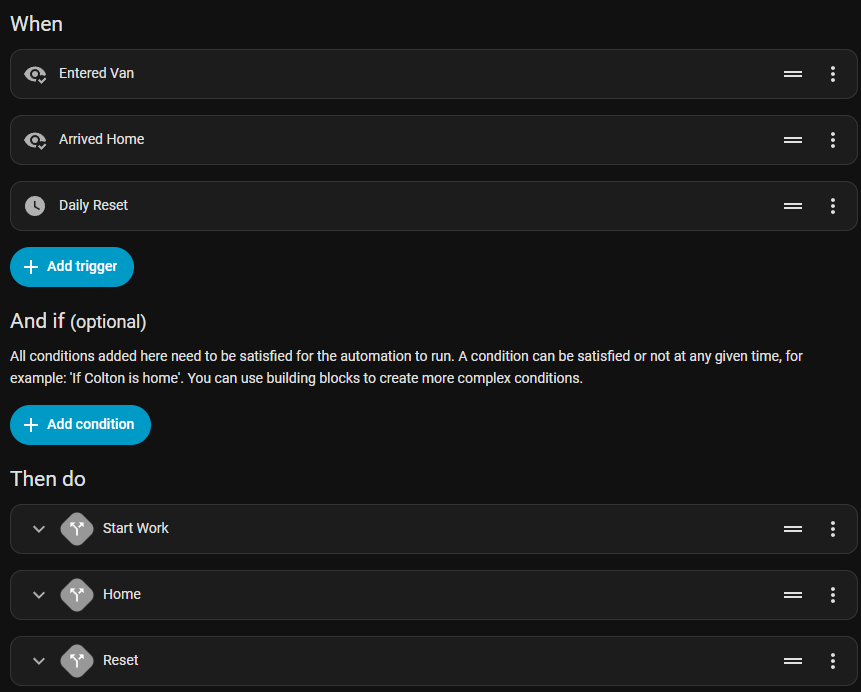
iOS Shortcut
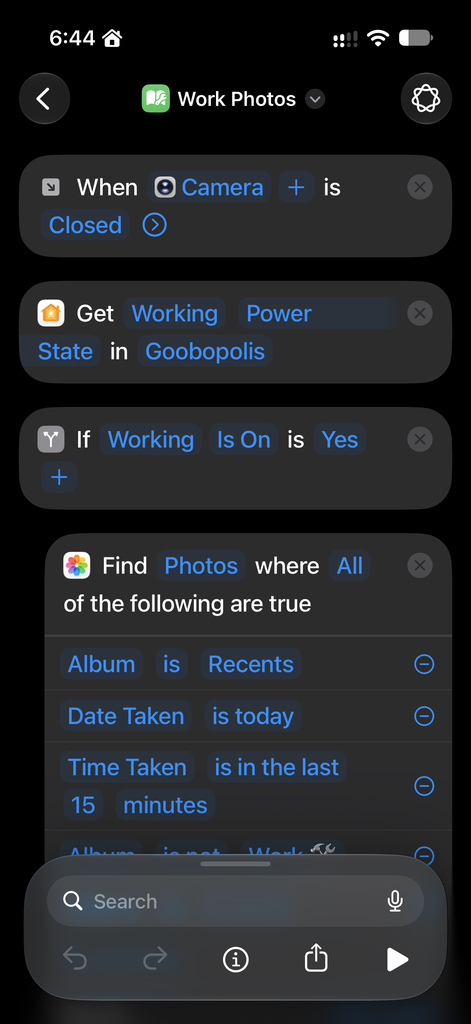
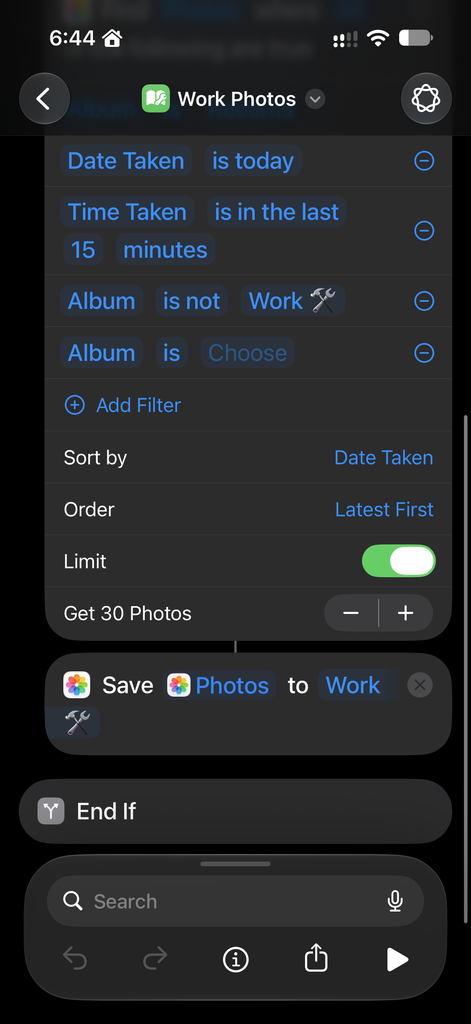
For iOS shortcuts I hit this annoying wall where input helpers / booleans would not show up. Luckily I already have an Apple Homepod which lets my booleans show up in the Apple home app and I can use their state as a condition in Shortcuts.
The flow would look like this:
WHEN the camera app closes
|
+-- Is 'working' toggle on?
         NO --> stop, do nothing
         YES
          |
          +--> 1. Sort recent photos into 'Work' album
With the clunkiness of iOS shortcuts app, I was able to accomplish this. Here’s what it looks like (My home is named “Goobopolis”, don’t judge me.)
Link to the iOS shortcut if you want to just add it/tweak it yourself:
https://www.icloud.com/shortcuts/c5ec247f71c9460da19c92467b39d3dd
If you can figure out how to use raw input booleans from home assistant as a condition, contact me.
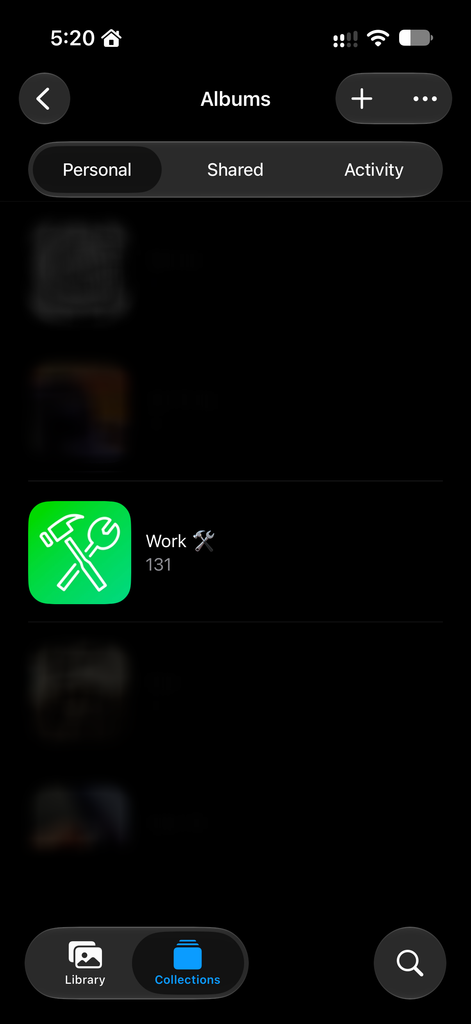
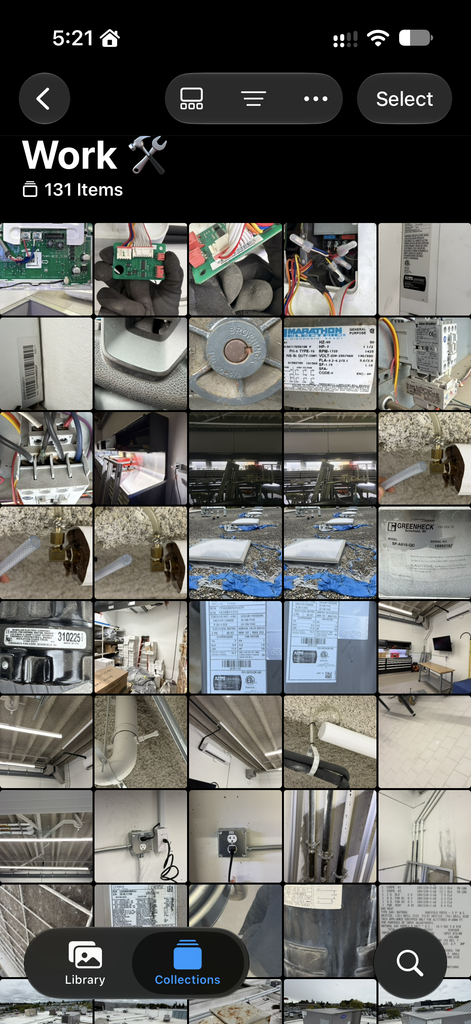
And here’s the photos and their album in all it’s glory, sorted and working for over a month now without a hitch.
There’s been maybe 1 or 2 occasions where I took a photo I didn’t want to end up in work photos, and I just manually removed it later. MUCH easier than sorting all my work photos into an album manually.
Conclusion: There’s probably an app for this that already exists, I didn’t even look.
Knowing iOS it would be another subscription based app that maybe works, maybe doesn’t.
This is my own homebrew solution and it’s been working great!